The CW Corner – Those “We Watched You On Adult Sites” Emails Are Scams

Just thought I would post this informational piece reassuring you that those “We Watched You On Adult Sites” sextortion emails are scams!

The Email That Shocks People

I have seen these emails for many years.

They usually start with a nasty claim.

The sender says they hacked your computer.

Then they say they watched you visit adult websites.

Next, they claim they recorded you through your camera.

After that, they demand money, usually in cryptocurrency.

Finally, they threaten to send the “video” to your contacts.

That message scares people fast.

It uses shame, fear, confusion, and urgency.

That is exactly why scammers send it.

They do not need to hack everyone.

They only need to scare enough people.

The Big Secret About These Emails

Most of these emails are complete garbage.

The scammer does not have a video.

The scammer did not watch you.

The scammer did not hack your camera.

The scammer probably does not know you.

The scammer usually only has your email address.

Sometimes they also have an old password.

That old password may scare people even more.

However, that password often came from an old breach.

It may have nothing to do with your current email account.

That detail gives the scam more punch.

The scammer wants you to think, “Oh no, they know me.”

That is the hook.

Why They Mention Adult Websites

The adult website claim does a lot of work.

First, it creates embarrassment.

Second, it makes people hesitate to ask for help.

Third, it makes people panic.

Fourth, it makes people act alone.

That is exactly what the scammer wants.

Scammers love silence.

They want you scared, ashamed, and isolated.

They do not want you calling your web person.

They do not want you asking your spouse.

They do not want you asking your office manager.

They want you thinking in panic mode.

Panic makes people click.

Panic makes people pay.

Panic makes smart people ignore common sense.

The Psychology Behind The Scam

These scams work because they hit deep human fears.

Most people fear public embarrassment.

Most people fear losing trust.

Most people fear family conflict.

Most people fear business damage.

Most people fear being judged.

The scammer pushes all those buttons at once.

That makes the message feel powerful.

However, the message only has power if you believe it.

Once you understand the trick, it loses its teeth.

It becomes spam with a costume on.

An ugly costume, yes.

But still spam.

They Use Urgency To Shut Down Thinking

Most of these emails include a deadline.

They may say you have 24 hours.

They may say you have 48 hours.

They may claim a timer started when you opened the email.

That is nonsense.

They want you to move fast.

They know calm people ask questions.

They know calm people check facts.

They know calm people call support.

So they try to steal your calm.

They try to rush you.

That rushed feeling matters.

Whenever a message screams “act now,” slow down.

That rule saves people from many scams.

They Use Technical Jargon To Sound Real

The emails often include computer words.

They may mention malware.

They may mention spyware.

They may mention remote access.

They may mention operating systems.

They may mention your router.

They may mention your camera.

They may mention tracking pixels.

They may mention your browser history.

Most of that talk means nothing.

The scammer throws technical words like confetti.

They hope one word sounds scary enough.

They do not need accuracy.

They need fear.

A real technician can usually spot the nonsense quickly.

But regular users may feel overwhelmed.

That is part of the trap.

They Want Cryptocurrency For A Reason

These scammers usually demand Bitcoin or another cryptocurrency.

They do this because crypto payments move differently.

Banks can sometimes reverse or trace certain payments.

Credit card companies may help fraud victims.

However, crypto payments usually do not work that way.

Once you send the money, it often disappears.

That is why scammers love it.

They also know many people find crypto confusing.

Confusion helps the scammer.

The harder the payment process feels, the more serious it may seem.

That is another trick.

A complicated payment does not prove a real threat.

It only proves the scammer wants hard-to-recover money.

Your Email Address On The Dark Web

People often panic when they hear “dark web.”

That phrase sounds terrifying.

However, an email address on a leaked list means very little.

Your email address may appear in many places.

A store may leak it.

A service provider may leak it.

A social website may leak it.

A newsletter company may leak it.

An old vendor may leak it.

That does not mean your mailbox was hacked.

It means your address joined spammer lists.

That can increase junk mail.

It can also increase targeted scaremail.

Still, the address alone gives them no magic power.

They cannot control your account because they know your address.

They need your password too.

They may also need a second security step.

Old Passwords Make The Scam Feel Real

Some scam emails include a password.

That scares people more than anything else.

I understand why.

Seeing a real password in a threat feels personal.

However, that password often came from an old breach.

Maybe you used it years ago.

Maybe you used it on another website.

Maybe that website stored passwords badly.

Then criminals dumped the stolen data online.

Later, another scammer grabbed that list.

Now they send scary emails using old passwords.

That does not prove they logged into your current email.

It proves they found old leaked data.

Still, you should never ignore that clue.

Change any account that still uses that password.

Never reuse that password again.

Why Smart People Fall For It

Smart people fall for scams every day.

That does not make them foolish.

It makes them human.

Scammers do not attack intelligence first.

They attack emotions first.

They attack fear.

They attack shame.

They attack urgency.

They attack trust.

They attack exhaustion.

They attack busy mornings.

They attack stressful afternoons.

They attack people during real life.

A business owner may read the email between customers.

A parent may read it while handling family stress.

An employee may read it before a meeting.

That timing helps scammers.

The scammer only needs one bad moment.

The Scammer Plays A Numbers Game

These criminals send huge numbers of messages.

They do not need most people to pay.

They only need a small number.

Suppose they send 100,000 emails.

Suppose only 20 people pay.

That can still make the scam profitable.

That is why these scams keep coming.

They work often enough.

They cost almost nothing to send.

They also reach people around the world instantly.

That ugly math keeps the scam alive.

They Copy And Reuse The Same Scripts

I have seen these messages many times.

They change a few words.

They change the payment wallet.

They change the deadline.

They change the claimed method.

But the story stays mostly the same.

They say they hacked you.

They say they watched you.

They say they recorded you.

They say they will expose you.

They say you must pay quickly.

That script has circulated for years.

The scammer may sound personal.

But most messages are mass-produced.

They read like form letters with threats added.

Sometimes They Spoof Your Own Address

Some versions look like they came from your own email address.

That really scares people.

They think, “They must control my account.”

Not necessarily.

Email spoofing can fake the visible sender address.

It works like writing a fake return address on an envelope.

The message may look like it came from you.

But the mail server records often tell another story.

That is why headers matter.

A proper mail check can show whether the account sent it.

Most users never see those details.

So the fake sender line does its job.

It creates fear.

What Real Account Compromise Looks Like

A real hacked mailbox usually leaves signs.

You may see strange messages in Sent Items.

You may find deleted messages you never deleted.

You may see forwarding rules you never created.

You may find filters moving mail secretly.

You may receive password reset notices.

You may see login alerts from strange locations.

Your contacts may receive spam from your account.

Your mailbox may suddenly lock you out.

Those signs deserve fast attention.

A scary sextortion email alone does not prove compromise.

It proves someone sent you a scary email.

That is different.

What To Do When You Receive One

Do not reply.

Do not pay.

Do not click links.

Do not open attachments.

Do not scan strange quick response codes.

Do not call phone numbers inside the message.

Do not negotiate.

Do not explain yourself.

Do not threaten the scammer.

Do not send any personal information.

Mark the message as spam or junk.

Then delete it.

If you feel unsure, ask a trusted technical person.

A second set of eyes helps.

Scammers hate second opinions.

When You Should Change Passwords

Change your email password if you feel unsure.

That step can bring peace of mind.

Also change it if the email shows an old password.

Change it if you reused that password anywhere.

Change it if your account shows strange activity.

Change it if you cannot remember when you last changed it.

Use a strong password.

Use a unique password.

Do not reuse passwords across accounts.

A reused password turns one breach into many problems.

That risk causes real trouble.

Why Password Reuse Hurts People

Many people use the same password everywhere.

I understand why.

Nobody wants to remember dozens of passwords.

However, password reuse creates a big risk.

One weak website can expose your password.

Then criminals try that password on email.

They try it on banking websites.

They try it on shopping accounts.

They try it on social media.

They try it on web hosting accounts.

This attack has a name.

People call it credential stuffing.

The scammer stuffs known passwords into other login pages.

If you reused the password, they may get in.

That is why unique passwords matter.

Use A Password Manager If Possible

A password manager can help a lot.

It stores strong passwords for you.

It also creates different passwords for each site.

That means one breach does not unlock everything.

Some people prefer written password books.

That can still beat password reuse.

The main goal stays simple.

Use different passwords for important accounts.

Email matters most.

Your email account often unlocks everything else.

Password reset links usually go there.

Protect email like the front door.

Turn On Two-Step Login When Available

Two-step login adds another layer.

People also call it multi-factor authentication.

That means a password alone does not open the account.

The account also needs a code or approval.

This extra step blocks many attacks.

It does not stop every scam.

But it helps greatly.

Use it on email when available.

Use it on banking accounts.

Use it on domain registrar accounts.

Use it on web hosting accounts.

Use it on social media.

Use it anywhere that matters.

Businesses Need Extra Caution

Business email carries extra risk.

A hacked business mailbox can cause serious damage.

Scammers may read invoices.

They may watch customer conversations.

They may change payment instructions.

They may impersonate employees.

They may trick customers.

They may steal files.

They may reset passwords for other services.

So businesses should treat mailbox security seriously.

That does not mean every scary email proves a hack.

It means we should check calmly.

Good checks beat panic every time.

What I Check For Customers

When a customer calls me about these emails, I look for real signs.

I check recent logins when possible.

I check sent mail.

I check forwarding settings.

I check autoresponders.

I check mailbox rules.

I check suspicious password reset messages.

I check whether contacts received spam.

I also ask what the email actually said.

Many times, the message matches the same old scam script.

At that point, I can usually reassure the customer.

Then we change passwords if needed.

That gives both safety and peace of mind.

Why The Messages Sound So Disgusting

The disgusting wording serves a purpose.

The scammer wants an emotional reaction.

Gross language causes shock.

Shock shortens thinking.

The more disgusting the email feels, the less likely people share it.

That helps the scammer.

The victim may feel embarrassed even discussing it.

But nobody should feel embarrassed.

The scammer wrote the garbage.

The victim only received it.

That difference matters.

Receiving filth does not make someone guilty.

It makes them a target.

The Threat To Send It To Contacts

This threat appears in many versions.

The scammer may claim they copied your contacts.

They may claim they will email everyone.

They may mention family, friends, or coworkers.

That threat works because relationships matter.

People naturally want to protect loved ones.

They also want to protect reputations.

The scammer knows that.

So they threaten social damage.

Most of the time, they have nothing.

They only have words.

They hope your imagination does the rest.

The Fake Timer Trick

Some messages claim they know when you opened the email.

Some claim a timer started at that moment.

Some claim they installed tracking software.

Most of this is nonsense.

Regular marketing emails can use tracking pixels.

That only shows whether someone opened a message.

It does not prove hacking.

It does not prove camera access.

It does not prove device control.

The scammer uses simple ideas to create fear.

Again, they need panic.

They do not need truth.

Why They Mention Malware

Malware sounds scary.

So scammers mention it often.

They may claim they installed a “Trojan.”

They may claim they control your screen.

They may claim they copied your files.

They may claim your antivirus missed it.

Sometimes malware infections do happen in real life.

But these emails usually provide no real proof.

They do not show a file.

They do not show a screenshot.

They do not show real details.

They only make broad claims.

Broad claims require broad doubt.

Ask For Proof Without Replying

Here is the funny part.

Real attackers usually prove access quickly.

They may show a real screenshot.

They may list files.

They may send logs.

They may show recent private data.

These sextortion scammers usually show none of that.

They just make claims.

However, do not reply and ask for proof.

That only confirms your address works.

It may invite more messages.

Instead, ask your technical support person.

Let them review the message safely.

Why Paying Makes Things Worse

Paying does not buy safety.

Paying marks you as profitable.

The scammer may demand more.

Other scammers may target you later.

They may share your address with more criminals.

They may say the first payment failed.

They may invent another fee.

They may keep threatening you.

Scammers do not honor agreements.

Their whole business runs on lies.

So paying rarely ends the problem.

It can make it grow.

What To Tell Employees

Employees need simple rules.

Do not panic.

Do not reply.

Do not pay.

Do not click.

Report the message.

Save it for review if needed.

Then let the right person inspect it.

That process protects the business.

It also protects the employee from embarrassment.

Make sure staff know these scams exist.

People handle threats better when they expect them.

Surprise helps scammers.

Training removes surprise.

What To Tell Family Members

Family members need reassurance first.

These messages can feel deeply upsetting.

Start by saying, “This is a common scam.”

Then explain the basic trick.

Tell them the scammer likely has no video.

Tell them not to answer.

Tell them not to send money.

Tell them you can help check the account.

That calm response matters.

Fear shrinks when people feel supported.

Nobody should face these emails alone.

Why Older Adults Get Targeted

Scammers often target older adults.

But they also target everyone else.

Older adults may have more savings.

They may feel less confident with technology.

They may also respect official-sounding messages.

However, younger people fall for scams too.

These criminals do not care about age.

They care about fear and money.

Still, older adults deserve extra patience.

Nobody should shame someone for asking.

Asking for help means the scammer lost.

Why Business Owners Get Targeted

Business owners publish contact information everywhere.

They list email addresses on websites.

They appear in directories.

They register domains.

They join networking groups.

They advertise services.

That public visibility helps customers.

It also helps scammers find targets.

So business owners often receive more junk.

That does not mean they did anything wrong.

It means they operate in public.

A public email address attracts spam.

That is just the ugly side of doing business online.

The Role Of Data Breaches

Data breaches feed these scams.

A breach may expose names.

It may expose email addresses.

It may expose phone numbers.

It may expose mailing addresses.

It may expose old passwords.

It may expose customer records.

Scammers combine those pieces.

Then they create messages that feel personal.

A message with your name feels stronger.

A message with your old password feels stronger.

A message after a known breach feels stronger.

But stronger does not mean true.

It only means more convincing.

What “Dark Web” Really Means Here

The dark web sounds mysterious.

Sometimes criminals do sell stolen data there.

However, many leaked lists also circulate elsewhere.

Scammers may buy or download those lists.

Then they blast messages to thousands of people.

So “your email is on the dark web” often means this.

Your address exists in stolen or shared spammer data.

That is unpleasant.

But it does not automatically mean disaster.

It means you should use better password habits.

It also means you should expect more phishing.

The Difference Between Spam And A Hack

Spam means someone sent you unwanted mail.

A hack means someone gained access.

Those are very different things.

A spammer can email anyone.

They do not need your password.

They do not need your computer.

They only need your address.

A hacker needs access.

They need credentials, malware, or another weakness.

Do not confuse receiving a threat with being hacked.

That mistake causes needless panic.

It also helps the scammer.

Why Checking Headers Helps

Email headers show the path a message took.

They can reveal sending servers.

They can show authentication results.

They can show whether mail passed security checks.

Headers look confusing.

I do not expect most users to read them.

But support people can use them.

Headers help separate spoofing from real account use.

They also help spot forged sender addresses.

That is why I like seeing the original email.

Screenshots help sometimes.

Original headers help much more.

Never Trust The Display Name Alone

Email programs often show friendly names.

That display name can say almost anything.

It may say your name.

It may say your company name.

It may say your bank.

It may say Microsoft.

It may say your own email address.

That does not prove anything.

Look at the actual address.

Even then, remember spoofing exists.

The display name gives scammers a costume.

Do not trust the costume.

Check the source.

Phone Scams Use Similar Psychology

Email scams and phone scams use the same tricks.

A caller may claim to be from a bank.

They may claim fraud already happened.

They may claim police action will follow.

They may claim your computer has viruses.

They may claim your account will close.

They push fear and urgency.

Then they demand action.

They may tell you not to hang up.

They may tell you not to call anyone.

That is a giant warning sign.

Real help does not fear verification.

Scammers do.

The Bank Scam Pattern

A fake bank caller may sound professional.

They may know some real information.

They may spoof the bank phone number.

They may say your account faces danger.

Then they ask for codes, passwords, or transfers.

That pattern resembles sextortion scams.

Both scams create fear.

Both scams demand fast action.

Both scams isolate the victim.

Both scams punish calm thinking.

That is why the same safety rule works.

Stop.

Breathe.

Verify independently.

Use a known phone number.

Do not use the number they provide.

Why Shame Keeps Scams Alive

Shame gives scammers cover.

People feel embarrassed.

So they hide the message.

Then they make decisions alone.

That is dangerous.

Nobody should feel ashamed for receiving a scam.

The criminal chose the topic.

The criminal chose the words.

The criminal created the threat.

The recipient did nothing wrong.

Talking about these emails breaks the scammer’s power.

That is why I keep writing about them.

People need plain warnings before panic strikes.

How To Respond As A Business

A business should have a simple reporting process.

Staff should know where to send suspicious emails.

They should know not to click.

They should know not to reply.

They should know not to forward dangerous attachments casually.

They should know to ask for help.

The process should feel safe.

If employees fear blame, they may hide mistakes.

That helps scammers.

A good business culture rewards quick reporting.

Fast reporting protects everyone.

What I Would Tell A Customer

I would say this plainly.

“You received a common scam email.”

“The sender probably did not hack you.”

“They likely got your address from a leaked list.”

“Do not pay them.”

“Do not answer them.”

“We can change your password as a precaution.”

“We can also check your account for suspicious activity.”

That message calms people.

It also gives them action steps.

Fear needs a plan.

A plan restores control.

What Counts As A Real Emergency

Some signs deserve immediate action.

You cannot log into your mailbox.

Customers report spam from your address.

You see strange sent messages.

You find forwarding rules you did not create.

You receive many password reset alerts.

You see successful logins from strange locations.

Money movement instructions changed unexpectedly.

Your website admin account shows strange logins.

Those signs need quick work.

Change passwords.

Check recovery addresses.

Review mailbox rules.

Contact support.

Do not wait.

Why Scammers Keep Using This Exact Scam

They keep using it because it works.

They do not need creativity.

They need results.

Fear works.

Shame works.

Urgency works.

Technical confusion works.

Cryptocurrency confusion works.

Old breached passwords work.

So they keep recycling the same idea.

That does not mean the threat is real.

It means the scam still makes money.

Scams survive when people pay.

Education cuts their income.

Teach People Before They Get Hit

The best time to explain this scam comes before someone receives it.

A calm person learns better.

A frightened person struggles to process details.

So share examples.

Explain the pattern.

Explain the fake threats.

Explain the payment demand.

Explain the no-reply rule.

Explain password safety.

Then people recognize the scam later.

Recognition changes everything.

The message still looks ugly.

But it no longer feels mysterious.

A Simple Rule For Scary Messages

Here is one rule I like.

The scarier the message sounds, the slower you should move.

Scammers want speed.

You should choose delay.

Scammers want secrecy.

You should ask someone trusted.

Scammers want payment.

You should verify first.

Scammers want panic.

You should breathe.

That rule works for email.

It works for phone calls.

It works for text messages.

It works for fake invoices.

It works for many online threats.

What Not To Do

Do not send money.

Do not send gift cards.

Do not send cryptocurrency.

Do not send passwords.

Do not send verification codes.

Do not install remote access software.

Do not let a stranger control your computer.

Do not click links in the threat.

Do not open attachments.

Do not continue a conversation with the scammer.

Every one of those actions helps them.

The safest response usually feels boring.

Ignore, report, delete, and secure your accounts.

Boring beats broke.

Why Reporting Still Matters

Reporting helps mail systems learn.

Mark the message as spam or junk.

That can improve filtering.

Businesses may also save samples for review.

Support teams can inspect patterns.

They can block sending sources.

They can update filters.

They can warn other users.

Reporting does not always stop every message.

But it helps.

Deleting alone removes your copy.

Reporting may help protect others.

The Human Side Of This

These emails upset real people.

I have seen customers feel embarrassed.

I have seen people feel afraid.

I have seen people worry about family damage.

I have seen business owners fear reputation harm.

That reaction makes sense.

The scammer designed the email to hurt.

So we should respond with patience.

We should not laugh at the victim.

We can laugh at the scam.

But we should support the person.

Calm support beats shame.

My View After 28 Years In This Business

I have been in this business for over 28 years.

I have seen nearly every scam angle.

I have received endless phishing emails.

I have received scam phone calls.

I have seen fake invoices.

I have seen fake domain renewals.

I have seen fake bank alerts.

I have seen fake tech support warnings.

I have seen fake password threats.

I have seen fake sextortion emails.

The wording changes.

The trick stays the same.

They want fear to outrun judgment.

That is the whole game.

Final Advice

Do not let these emails control you.

They look nasty.

They sound personal.

They feel urgent.

But they usually come from bulk scam operations.

Treat them like criminal junk mail.

Do not reply.

Do not pay.

Do not click.

Change passwords when needed.

Use unique passwords.

Turn on two-step login where possible.

Ask a trusted support person when unsure.

Most importantly, do not let shame silence you.

That silence helps the scammer.

A calm conversation usually destroys the scam.


You can see more at https://CharlesWorks.com/resources.

FacebooktwitterredditpinterestlinkedinmailFacebooktwitterredditpinterestlinkedinmail

The CW Corner – Quick Tips: Protect Your Inbox from Incoming Phishing Attacks in 2025

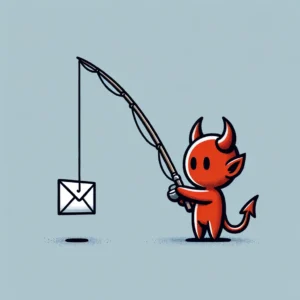
Phishing DevilPhishing attacks have become more sophisticated than ever in 2025. Cybercriminals now use AI to craft convincing emails that mimic your trusted contacts perfectly. They’re targeting small businesses more aggressively because they know you might not have enterprise-level security budgets.

But here’s the good news: protecting your inbox doesn’t require expensive solutions or a computer science degree. You just need to know what to look for and implement a few key safeguards. Think about what’s connected to your email accounts – your banking, your customer data, your business operations. That’s why phishing avoidance should be your top priority this year.

Let’s dive into practical steps you can take today to bulletproof your inbox against these increasingly clever attacks.

Set Up Email Authentication to Block Impersonators

Email authentication is your first line of defense against domain spoofing. When someone tries to send emails pretending to be from your business, these protocols will catch them.

SPF (Sender Policy Framework) tells email servers which IP addresses are allowed to send emails from your domain. Think of it as a guest list for your domain – only approved senders get through.

DKIM (DomainKeys Identified Mail) adds a digital signature to your outgoing emails. It’s like a tamper-proof seal that proves the message really came from you and wasn’t altered in transit.

DMARC (Domain-based Message Authentication, Reporting, and Conformance) combines SPF and DKIM, then tells other email servers what to do with emails that fail these checks. You can set it to quarantine suspicious emails or reject them entirely.

Setting up these protocols requires adding DNS records to your domain. If that sounds intimidating, most hosting providers or IT consultants can handle this quickly. The investment pays off immediately – you’ll see fewer spoofed emails reaching your contacts and customers.

Recognize the New Generation of Phishing Emails

Today’s phishing emails are getting scary good at mimicking legitimate communications. AI helps scammers create perfect grammar, use your company’s writing style, and even reference recent events or conversations.

Watch for these red flags that still give away phishing attempts:

Suspicious sender addresses often use lookalike domains. Instead of “fedex.com,” you might see “fedx-support.com” or “fedex-delivery.net.” Always check the actual sender address, not just the display name.

Urgent language designed to bypass your critical thinking. Phrases like “immediate action required,” “account will be closed,” or “verify within 24 hours” should trigger your skepticism.

Generic greetings like “Dear Customer” instead of your actual name. Legitimate businesses usually personalize their communications, especially for account-related messages.

Mismatched links where the displayed text says one thing but the actual URL leads somewhere else. Hover over links before clicking to see where they really go.

Unexpected attachments requiring immediate download or execution. Be especially wary of .zip files, .exe files, or documents with embedded macros from unknown senders.

Implement Smart Behavioral Practices

Your daily email habits matter more than any security software. Small changes in how you handle emails can prevent most successful phishing attacks.

Never click links in emails unless you absolutely trust the sender. When in doubt, open a new browser window and navigate to the company’s website directly. This simple practice stops most credential theft attempts cold.

Verify suspicious requests through alternative channels. If your “boss” emails asking for urgent wire transfers or sensitive information, pick up the phone and confirm. Scammers count on you following email instructions without verification.

Keep your software updated. Email clients, browsers, and operating systems regularly patch security vulnerabilities that phishers exploit. Enable automatic updates whenever possible.

Use different passwords for different accounts. When one account gets compromised, you don’t want attackers accessing everything else. Password managers make this easier by generating and storing unique passwords for each service.

Deploy Multi-Factor Authentication Strategically

Multi-factor authentication (MFA) blocks most phishing attacks even when criminals steal your password. But not all MFA is created equal in 2025.

Avoid SMS-based authentication when possible. Scammers can intercept text messages or use social engineering to redirect your phone number. It’s better than nothing, but other options provide stronger protection.

App-based authentication using Google Authenticator or Microsoft Authenticator offers better security. These generate time-based codes that work even without internet connectivity.

Hardware security keys like YubiKey provide the strongest protection against phishing. They use cryptographic proof that can’t be phished, even by sophisticated attacks. For businesses handling sensitive data, this investment pays for itself quickly.

Choose the Right Email Security Tools

Modern email security goes beyond basic spam filtering. AI-powered solutions can detect subtle patterns that humans might miss.

Advanced threat protection services analyze email content, sender behavior, and link destinations in real-time. They catch zero-day phishing attempts that haven’t been reported yet.

Email sandboxing opens suspicious attachments in isolated environments to check for malware before they reach your inbox. This protects against document-based attacks that bypass traditional antivirus.

User reporting tools make it easy for your team to flag suspicious emails. Many security platforms learn from these reports, improving protection for everyone.

Link rewriting services intercept clicks on suspicious URLs and scan them before allowing access. This provides a safety net when users click without thinking.

Train Your Team Without Boring Them

Security awareness training works best when it’s relevant and engaging. Skip the generic presentations and focus on real scenarios your business might face.

Run phishing simulations that mimic actual threats targeting your industry. Banking clients might see fake loan notifications, while retail businesses could see shipping updates. Make the training relevant to daily operations.

Create a no-blame reporting culture. Team members should feel comfortable reporting suspicious emails without fear of embarrassment. Praise people for being cautious – it’s exactly the behavior you want.

Share recent examples of phishing attempts targeting similar businesses. Real-world cases are more memorable than theoretical scenarios.

Keep sessions short and focused. Fifteen-minute monthly updates work better than annual marathon training sessions. People retain information better in small, digestible pieces.

Protect Your Business Email Specifically

Business email faces unique threats that personal email doesn’t encounter. Attackers research your company structure, recent news, and business relationships to craft targeted attacks.

Business Email Compromise (BEC) attacks target financial processes. Scammers impersonate executives or vendors to trick employees into wire transfers or credential sharing. Always verify payment requests through secondary channels.

Supply chain phishing uses compromised vendor accounts to attack customers. Even trusted partners can become unwitting attack vectors. Maintain healthy skepticism even with familiar senders.

CEO fraud targets employees with fake urgent requests from leadership. Attackers study your organizational chart and communication patterns to make requests seem legitimate.

Keep Your Defenses Current

Phishing tactics evolve constantly, so your protection strategies must evolve too. What worked last year might not catch this year’s threats.

Monitor your email authentication reports. DMARC generates reports showing who’s trying to send emails from your domain. Review these monthly to catch impersonation attempts early.

Update your security awareness training quarterly with new threat examples. Cybercriminals adapt their tactics based on what works, so your team needs to stay current.

Test your backup and recovery procedures. Even with perfect prevention, some attacks might succeed. Regular testing ensures you can recover quickly without paying ransoms or losing critical data.

Review and update your incident response plan. Everyone should know who to contact and what steps to take when phishing attacks succeed. Quick response can minimize damage significantly.

Take Action Today

Phishing avoidance isn’t something you can set up once and forget. It requires ongoing attention and regular updates. But the effort protects your business reputation, customer data, and financial security.

Start with email authentication – SPF, DKIM, and DMARC records provide immediate protection against domain spoofing. Then implement multi-factor authentication on critical accounts. These two steps alone will block most common phishing attacks.

Train your team to recognize and report suspicious emails. Create processes for verifying unexpected requests through alternative communication channels. The combination of technology and smart human behavior creates a robust defense against even sophisticated attacks.

Remember, cybercriminals are running businesses too. They target victims who look like easy marks and move on when defenses are strong. Make your business a hard target, and attackers will focus their efforts elsewhere.

For additional technical help with email security implementation, check out our email security resources for step-by-step guidance on protecting your business communications.

FacebooktwitterredditpinterestlinkedinmailFacebooktwitterredditpinterestlinkedinmail

The CW Corner – Phishing Scams Explained in Under 3 Minutes: Smishing, Vishing, and the New Tricks You Need to Know

More Phishing ExamplesCybercriminals are getting smarter every day. They’re not just sending those obvious “Nigerian Prince” emails anymore. Today’s scammers use sophisticated tactics that can fool even tech-savvy people.

Let’s break down the three main types of social engineering attacks you need to know about. We’ll cover phishing, smishing, and vishing – plus some sneaky new tricks that emerged in 2025.

What’s the Difference Between Phishing, Smishing, and Vishing?

Think of these three methods as different doors criminals use to break into your digital life. Each one targets a different communication channel you use every day.

Phishing happens through email and fake websites. Scammers impersonate trusted companies like your bank or Amazon. They’ll send urgent messages claiming your account needs immediate attention. The goal? Get you to click malicious links or download infected attachments.

Smishing uses text messages and messaging apps like WhatsApp. These texts often claim your package is delayed or your account is compromised. They include suspicious links that steal your information when clicked.

Vishing involves phone calls or voicemails. Scammers pretend to be from your bank, tech support, or government agencies. They use high-pressure tactics to make you reveal passwords or account numbers over the phone.

How Phishing Really Works (It’s More Clever Than You Think)

Modern phishing emails look incredibly convincing. Scammers copy official logos, use proper grammar, and mirror legitimate company websites perfectly.

Here’s a real example: You receive an email from “PayPal” saying someone tried to access your account. The email looks authentic, complete with PayPal’s logo and formatting. It includes a link to “verify your identity.”

But when you click that link, you land on a fake PayPal login page. The moment you enter your credentials, criminals capture them. Within minutes, they’re accessing your real PayPal account.

The scary part? These fake websites often use HTTPS encryption, so you’ll see that “secure” lock icon in your browser. Don’t let that fool you – criminals can get SSL certificates too.

Smishing: Why Text Message Scams Work So Well

People trust text messages more than emails. We’re conditioned to respond quickly to texts, especially ones that seem urgent.

Smishing attacks often use shortened URLs like bit.ly links. These hide the real destination, making it impossible to see where you’re actually going. The messages create artificial urgency: “Your package will be returned if you don’t respond in 24 hours!”

Here’s what makes smishing particularly dangerous: Most people don’t have security software on their phones like they do on computers. This makes mobile devices easier targets for malicious websites and downloads.

Think about how many important accounts are linked to your phone number. Your bank, email, social media – they all send verification codes via text. Criminals know this and exploit it ruthlessly.

Vishing: The Human Touch That Breaks Down Your Defenses

Voice phishing feels the most personal and urgent. There’s something about hearing another person’s voice that makes threats feel real and immediate.

Skilled vishers study their targets beforehand. They might know your name, where you bank, or recent purchases you’ve made. This inside knowledge makes their calls incredibly convincing.

Caller ID spoofing makes these calls appear to come from legitimate numbers. Your phone might display your bank’s actual customer service line, even though the call is coming from a criminal’s burner phone.

The pressure tactics are intense. They’ll claim your account has been compromised and you need to verify information “right now” to prevent further damage. They might transfer you between different “departments” to make the scam feel more authentic.

The New Tricks Criminals Started Using in 2025

Artificial Intelligence changed the game completely. AI-powered phishing creates personalized messages that perfectly mimic your colleagues’ or friends’ writing styles. These aren’t generic scam emails – they’re tailored specifically for you.

Clone Phishing takes emails you’ve actually received before and creates malicious copies. Remember that legitimate email from your bank last month? Criminals recreate it exactly, but replace the links with dangerous ones. Since you recognize the format, you’re more likely to trust it.

Business Email Compromise (BEC) targets companies by impersonating executives. An employee receives an email that appears to come from their CEO, requesting an urgent wire transfer or asking for sensitive customer data. These attacks often don’t include any attachments – they rely purely on social manipulation.

Deepfake voice technology now lets criminals clone someone’s voice from just a few minutes of audio. They might call pretending to be your boss, using AI-generated speech that sounds exactly like them.

Red Flags That Scream “This Is a Scam”

Your gut instinct is often right. If something feels off, it probably is. Here are specific warning signs to watch for:

Urgent language designed to bypass your critical thinking. Phrases like “immediate action required,” “account will be closed,” or “respond within 24 hours” are huge red flags.

Requests for sensitive information through email or text. Legitimate companies never ask for passwords, Social Security numbers, or account details this way. They already have this information.

Generic greetings like “Dear Customer” instead of using your actual name. Real companies typically address you personally in important communications.

Shortened URLs or suspicious links. Hover over any link before clicking to see where it actually goes. Be especially wary of URLs with random characters or unfamiliar domains.

Grammar and spelling mistakes in messages from “professional” organizations. While scammers have gotten better at this, many still make obvious errors.

Your Defense Strategy: Simple Steps That Actually Work

For email phishing: Never click links in suspicious emails. Instead, go directly to the company’s website by typing their URL into your browser. If the issue is real, you’ll see it when you log into your account normally.

For smishing: Don’t click text message links from unknown numbers. If the message claims to be from a company you do business with, use their official app or website instead.

For vishing: Hang up and call back using the official number from the company’s website. Real representatives won’t mind you verifying their identity this way.

Enable two-factor authentication (2FA) on all important accounts. Even if criminals steal your password, they won’t be able to access your accounts without the second verification step.

Keep your software updated. This includes your operating system, web browser, and antivirus programs. Updates often fix security vulnerabilities that criminals exploit.

When in Doubt, Verify Through a Different Channel

Here’s the golden rule: If someone contacts you claiming there’s a problem, verify it independently. Don’t use the contact information they provide – look it up yourself.

Call your bank using the number on your debit card. Log into your accounts directly rather than clicking email links. Check with IT before responding to urgent requests from “executives.”

This simple habit will protect you from 99% of social engineering attacks. Criminals count on you responding immediately without thinking it through.

Protecting Your Business and Family

Share this information with your employees and family members. Cybercriminals often target less tech-savvy individuals to get access to business networks or family finances.

Create a family or workplace policy: Never give out sensitive information over the phone or via email without verification. Make it clear that taking time to verify suspicious requests is always acceptable.

Consider using a password manager and teaching others to do the same. This makes it much harder for criminals to access multiple accounts even if they steal one password.

Remember, you don’t have to become a cybersecurity expert to stay safe. Following these basic guidelines and trusting your instincts will keep you ahead of most scammers.

If you’re concerned about your business’s email security or need help implementing better protection policies, our email security consulting services can help you create a comprehensive defense strategy.

The key is staying informed and remaining skeptical of unsolicited contacts asking for information or immediate action. When criminals can’t pressure you into quick decisions, their tactics usually fail.

FacebooktwitterredditpinterestlinkedinmailFacebooktwitterredditpinterestlinkedinmail
The CW Corner – AI-Powered Phishing Emails Are Getting Smarter: 5 Steps to Protect Your Business Inbox in 2025

The CW Corner – AI-Powered Phishing Emails Are Getting Smarter: 5 Steps to Protect Your Business Inbox in 2025

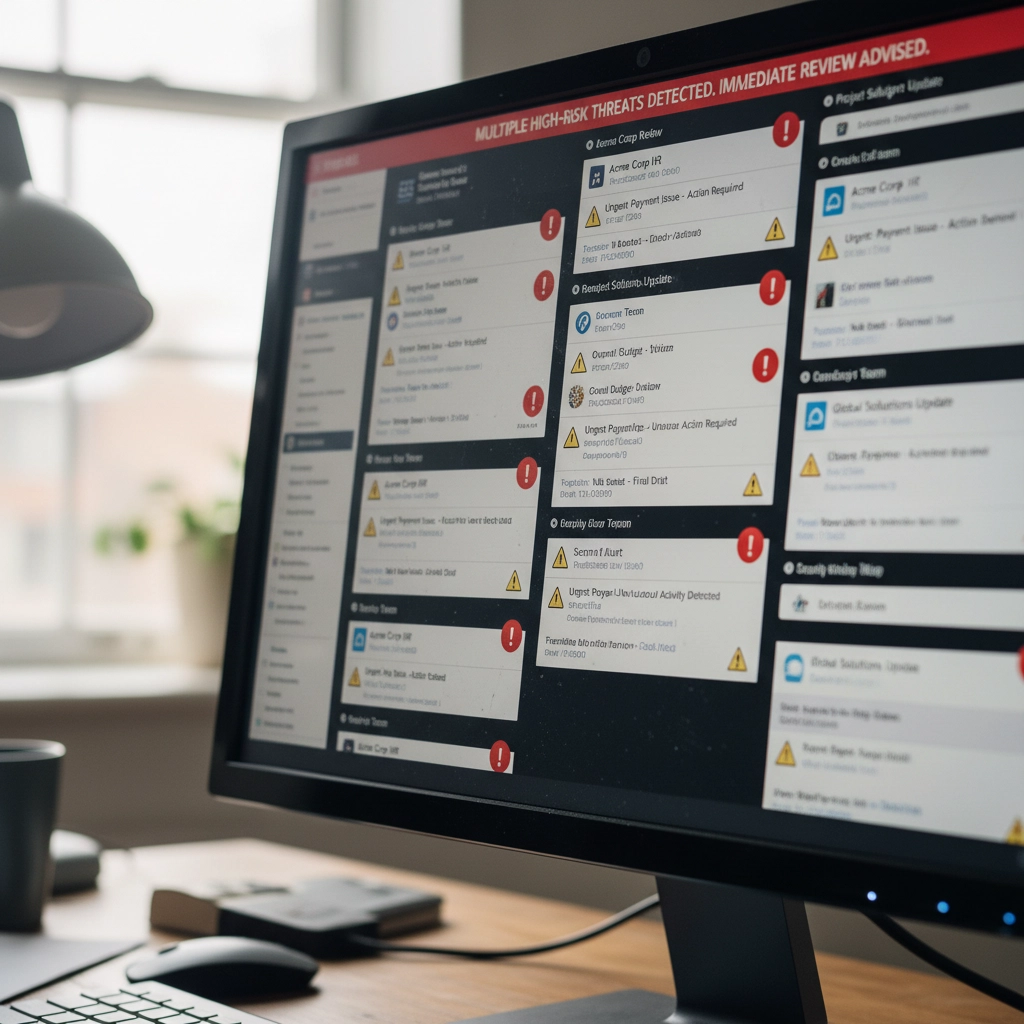
Your business inbox just became a battleground. AI-generated phishing has surged past ransomware as the number one email threat in 2025. We’re seeing a staggering 1,265% increase in phishing attacks powered by artificial intelligence since late 2024.

Gone are the days of obviously fake “Nigerian prince” emails riddled with spelling errors. Today’s attackers harvest your LinkedIn profile, study your GitHub commits, and analyze your communication patterns. They’re crafting emails so personalized and grammatically perfect that even tech-savvy professionals are falling for them.

Think about what’s connected to your email accounts: banking, vendor relationships, customer data, employee records. One successful phishing attack can devastate your business. But don’t panic. Here’s exactly how to armor your inbox against these evolving threats.

The New Reality of AI Phishing

Modern phishing attacks aren’t random spray-and-pray campaigns. Attackers use generative AI to create messages tailored specifically to you, your role, and your current projects. They might reference that new client you mentioned on social media or mimic your boss’s exact writing style.

These attacks cost as little as $50 to deploy but can result in devastating financial losses and data breaches. The traditional email filters you’ve relied on? They’re struggling to keep up with content that looks and sounds completely legitimate.

image_1

Step 1: Deploy AI-Powered Email Filtering Systems

Your current email security isn’t enough. Period. You need modern systems that use machine learning to spot AI-generated content patterns that human reviewers would miss.

These advanced filters analyze subtle characteristics that distinguish artificial text from human writing. They catch syntax anomalies, stylistic inconsistencies, and language patterns that traditional signature-based detection completely overlooks.

Legacy email filters operate like security guards checking IDs at the door. AI-powered systems work more like behavioral analysts, studying how people actually communicate and flagging anything that doesn’t match established patterns.

Don’t wait for your current provider to “upgrade” their system. The gap between old and new technology is too significant. Investigate dedicated AI email security solutions designed specifically for these threats.

Step 2: Implement Behavioral Analysis and Anomaly Detection

Here’s what makes AI phishing so dangerous: attackers can perfectly copy writing style but struggle to replicate authentic behavioral patterns. That’s your advantage.

Deploy monitoring that continuously learns how your colleagues, vendors, and partners actually communicate. When someone claiming to be your accounting manager suddenly uses different sentence structures or timing patterns, the system flags it immediately.

Consider this scenario: your “CFO” emails requesting an urgent wire transfer. Traditional filters see legitimate credentials and approved content. Behavioral analysis notices this person never sends financial requests via email and always calls first.

These systems excel at catching spear-phishing attacks targeting specific individuals. Even perfectly crafted AI emails fail when they don’t match the unique communication fingerprints of real relationships.

image_2

Step 3: Integrate Context-Based Defense Systems

Content analysis alone isn’t sufficient anymore. You need security that understands context: the relationship between sender and recipient, timing expectations, and communication norms.

Context-based defenses combine AI and machine learning to verify whether messages align with established patterns. They question unusual requests from familiar vendors, unexpected urgent directives from executives, and communication that breaks established protocols.

For example, if your regular vendor suddenly emails requesting updated payment information, context-based systems flag this as suspicious. They know this vendor typically handles payment changes through phone calls and account managers.

This approach adds verification layers that generic content analysis cannot provide. It’s particularly effective against sophisticated attacks that use accurate information but inappropriate communication channels.

Think of it as having a security assistant who knows everyone’s habits and immediately notices when something feels “off” about a message.

Step 4: Evaluate and Upgrade Your Email Security Stack

When did you last audit your email security infrastructure? If it’s been more than six months, you’re probably vulnerable to modern AI-driven attacks.

Start by testing whether your current tools can detect polymorphic malware, changing attachment hashes, and redirecting URLs: common obfuscation techniques in AI-powered campaigns. Many organizations discover significant gaps during these evaluations.

Don’t rely on point solutions. Integrated security platforms that combine multiple defense mechanisms create layered protection. Think of it like home security: you want door locks, window sensors, motion detectors, and cameras all working together.

Your existing email security might handle traditional threats but struggle with AI-generated content. Consider platforms where AI-enhanced email protection coordinates with endpoint security and network monitoring.

Budget between $5 and $40 per user monthly for comprehensive AI-powered solutions. This investment is substantially lower than the potential cost of successful attacks: data breaches, regulatory fines, and reputation damage.

Step 5: Create an Integrated Security Ecosystem

Email security cannot operate in isolation. Your AI-powered defenses must coordinate with endpoint protection, network monitoring, and incident response protocols.

This holistic approach prevents attackers from circumventing email security only to succeed through alternative vectors. If phishing emails slip through but attempt to download malware, endpoint protection catches them. If they redirect to malicious websites, network monitoring blocks access.

Establish regular security awareness training for employees. No automated defense achieves 100% accuracy: human judgment remains your critical final layer of protection. Train staff to recognize AI phishing indicators and verify suspicious requests through separate communication channels.

Create clear escalation procedures. When employees spot potential AI phishing, they need immediate reporting channels and rapid response protocols. Quick action can prevent attacks from spreading throughout your organization.

image_3

Supporting Your Defense Strategy

Remember that attackers continuously evolve their tactics through artificial intelligence. Your defenses must evolve too. Schedule quarterly security assessments and stay informed about emerging AI phishing techniques.

Don’t risk potential losses from increasingly sophisticated attacks. The combination of AI-powered filtering, behavioral analysis, context-based defense, comprehensive security evaluation, and integrated protection creates a formidable barrier against even the most advanced phishing campaigns.

Your inbox doesn’t have to be a liability. With proper AI-enhanced security measures, it becomes a protected gateway that supports your business operations without exposing you to unnecessary risks.

Hopefully these steps help you stay ahead of attackers who are getting smarter every day. The investment in proper email security pays dividends in protected data, preserved reputation, and peace of mind.

Stay vigilant, stay protected, and remember: when in doubt about any email, verify through alternative communication channels before taking action.

FacebooktwitterredditpinterestlinkedinmailFacebooktwitterredditpinterestlinkedinmail

The CW Corner – Stop Falling for These 10 Common Web Hosting and SEO Scams Targeting Small Businesses

Warning shield protecting small business from web hosting and SEO scams illustration

Small business owners face a minefield of sophisticated scams targeting their online presence. These fraudulent schemes don’t just waste money: they can compromise your security and damage customer trust.

The scammers know you’re busy running your business. They exploit that by making urgent-sounding offers or threats that demand immediate action. Don’t fall for it.

Here are the 10 most common web hosting and SEO scams targeting small businesses right now, plus how to spot and avoid them.

1. The “Guaranteed Page 1 Rankings” Trap

This is the granddaddy of SEO scams. You’ll get emails promising guaranteed first-page Google rankings, often within 30 days or less.

Here’s the truth: No legitimate SEO professional can guarantee specific rankings. Google’s algorithm changes constantly, and rankings depend on hundreds of factors including your competition.

Even Google itself can’t predict which pages will rank where or when. Anyone making guarantees is either lying or using black-hat techniques that will eventually hurt your website.

Red flags to watch for:

  • “Guaranteed #1 ranking”
  • Specific timeline promises
  • Vague descriptions of their methods
  • Pressure to sign up immediately

2. Fake Google Lighthouse Speed Reports

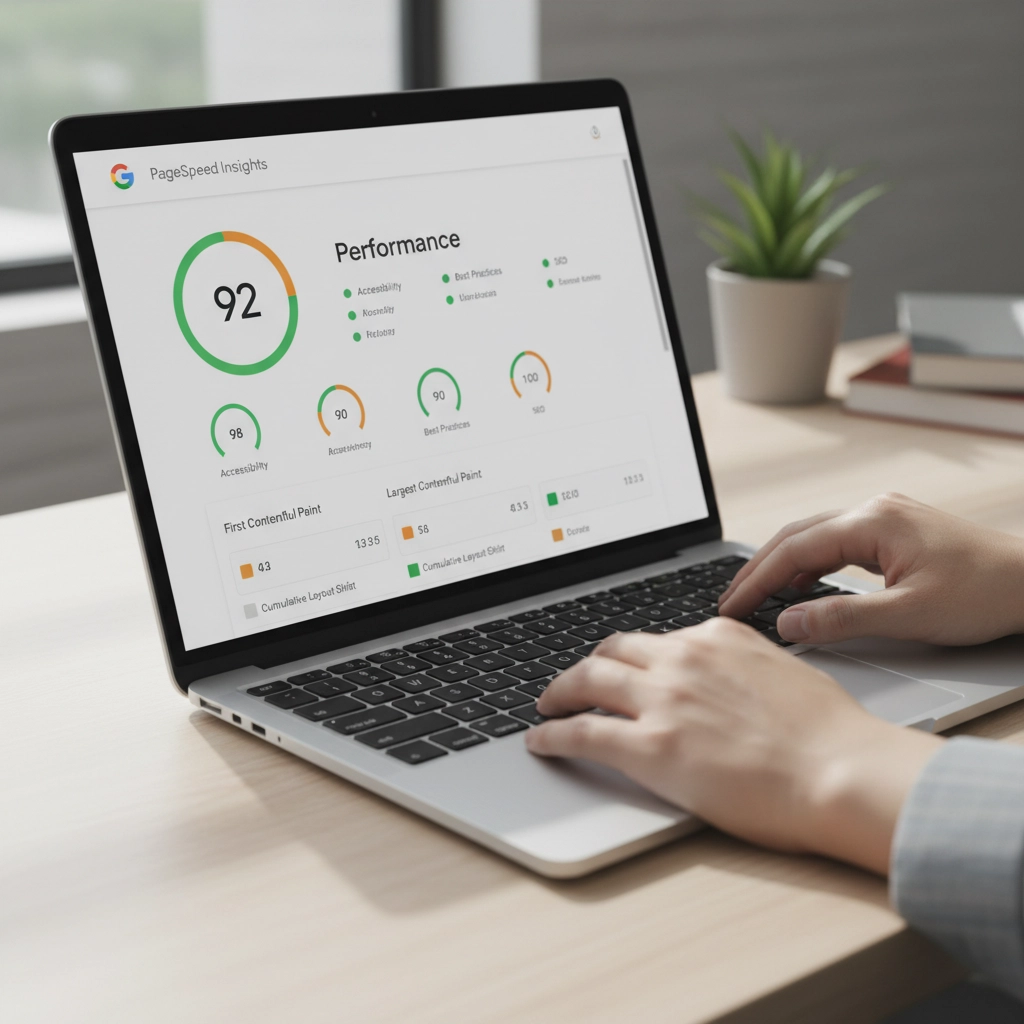
You receive an official-looking email claiming they’ve tested your website speed using Google Lighthouse. The attached report shows terrible loading times that are supposedly hurting your rankings.

The catch? They never actually tested your website. The speed scores are completely fabricated to scare you into buying their services.

You can verify your real website speed using Google’s PageSpeed Insights tool for free. Don’t trust unsolicited speed reports from unknown senders.

image_1

3. Fraudulent Hosting Renewal Invoices

This scam arrives as convincing emails or even physical mail claiming your web hosting is about to expire. The fake invoice includes urgent language like “act immediately” or “don’t lose your website.”

The payment links lead to scammer-controlled sites where they steal your payment information.

Before paying any hosting renewal:

  • Check the sender’s email against previous legitimate communications
  • Log into your hosting account directly (don’t click email links)
  • Verify the services and amounts match your actual account
  • Contact your hosting provider using their official support channels

4. Domain Registry Renewal Scams

These official-looking notices claim you need to renew your domain registration. Sometimes they impersonate legitimate registrars or even the Better Business Bureau.

The scammers bill you for renewals you’ve already paid for or services you don’t need. As we’ve covered in our previous article about internet scams and domain renewals, these can be particularly convincing.

Always verify domain renewal notices directly with your actual registrar. Check your records to confirm whether renewal is actually due.

5. Negative SEO Threats and Extortion

Some scammers demand ongoing payments for SEO services. They threaten that if you stop paying, they’ll use “negative SEO” tactics to destroy your rankings.

This is extortion, plain and simple. Legitimate SEO consultants never make unsolicited payment demands or threaten consequences for refusing their services.

If someone threatens to harm your website’s rankings, report them and block all communications. Don’t give in to extortion attempts.

6. Directory Listing and Advertising Scams

You get calls or emails requesting payment to list your business in directories that sound legitimate: like Yellow Pages or Better Business Bureau directories.

The problem? You never authorized these listings, and the “directories” are often fake or worthless.

Before paying any directory fees:

  • Check your records to confirm you placed an ad
  • Contact the directory directly using verified contact information
  • Be especially suspicious of cold calls demanding immediate payment

7. Tech Support Pop-up and Phone Scams

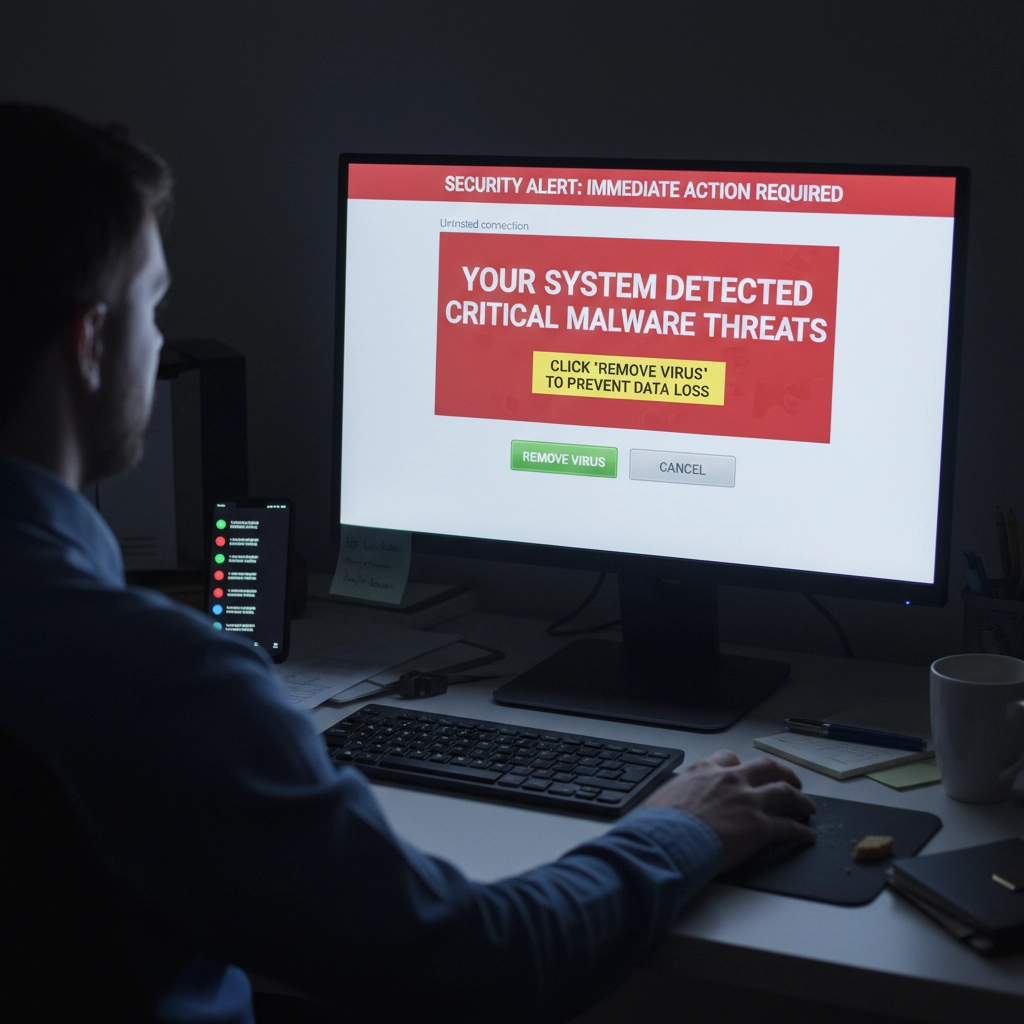
Tech support scams appear as computer pop-ups, emails, or phone calls claiming your website has malware or security issues requiring immediate attention.

These scams can be devastating. Scammers often request remote access to your computers or hosting accounts, leading to hacked accounts, stolen customer data, and compromised systems.

Protect yourself by:

  • Using pop-up and ad blockers
  • Installing legitimate security software on all devices
  • Never giving remote access to unsolicited tech support
  • Working with trusted IT professionals instead

image_2

8. Unrealistic Traffic and Visitor Promises

Scammers promise you’ll receive 1,000+ visitors per day to your website or guaranteed traffic through paid advertising. These promises sound appealing but rarely deliver real results.

Legitimate web traffic takes time to build through quality content, good SEO practices, and targeted marketing. Be skeptical of anyone promising massive traffic increases overnight.

Real traffic growth strategies focus on:

  • Creating valuable content for your audience
  • Optimizing for relevant keywords
  • Building quality backlinks over time
  • Running targeted advertising campaigns

9. Fake Email Security Alerts

You receive urgent emails claiming your business email has security issues or will be suspended unless you take immediate action. These often impersonate your hosting provider or email service.

As we discuss in our email security guide, legitimate providers rarely send urgent security warnings via email. They typically notify you through your account dashboard or official support channels.

Always log into your accounts directly to verify any security concerns. Don’t click links in suspicious emails.

10. Domain Appraisal and Purchase Scams

Scammers send unsolicited offers to appraise your domain name, suggesting it has significant value and you should sell it. They may claim to represent interested buyers.

These scams aim to extract personal information or payment for fake appraisal services. Sometimes they’re fishing expeditions to identify valuable domains they can try to steal or squat.

Ignore unsolicited domain appraisal offers. If you’re genuinely interested in your domain’s value, use legitimate appraisal services or consult with a professional.

How to Protect Your Business

Verify Everything
Never trust urgent communications about your web hosting, domains, or SEO. Always verify through official channels using contact information from your service provider’s website: not the suspicious communication.

Implement Email Authentication
Protect your email domain with SPF (Sender Policy Framework), DKIM (DomainKeys Identified Mail), and DMARC (Domain-based Message Authentication, Reporting, and Conformance). These technologies prevent scammers from impersonating your business email.

Educate Your Team
Make sure everyone on your team knows about these common scams. Establish protocols for verifying unexpected payment requests or service offers.

Use Reputable Providers
Work with established, reputable hosting providers and SEO professionals. Check references and reviews before committing to any services.

Trust Your Instincts
If something feels too good to be true or creates artificial urgency, it probably is a scam. Take time to research and verify before making decisions about your online presence.

Remember, protecting your business from these scams isn’t just about avoiding financial loss. It’s about maintaining the security and trust that your customers depend on. When in doubt, reach out to trusted professionals who can help you navigate these waters safely.

Stay vigilant, verify everything, and don’t let scammers pressure you into hasty decisions about your business’s digital presence.

FacebooktwitterredditpinterestlinkedinmailFacebooktwitterredditpinterestlinkedinmail

The CW Corner – SEO Scammers

Almost all businesses get the usual spam SEO (Search Engine Optimization) phone calls.

Recently, one of my web clients took one. As a result of such calls, she emailed me. She expressed a lot of concern about having been told very negative things about her web traffic and website operation. It sounded like he was trying to get her to spend money. Money she’d never see a return on her investment for.

High-pressure sales tactics are something I have instructed staff in all our years in business to avoid. CharlesWorks policy forbids selling clients anything they don’t need. The difficulty is that there are so many spammers and scammers out there sending the same messages that people believe them. You can tell the same lie a thousand times and it’s still a lie.

Among the thousands of websites we’ve handled, her particular business is very unique – especially during the COVID-19 epidemic. Her classes are limited regarding how many people she can have in them at any given time. I told her that she is the one who knows best what should be on her website. And she is the one who knows best what she has to offer and when she can offer it.

The nature of her business, it seemed to me, is based more on a following she has developed over time. And she is limited as to how many people at a time she can physically handle. And – much as I hate to say this – COVID is going to remain a thought in many people’s minds – at least through this upcoming winter season. Things will change when a vaccine is widely available. However, common sense dictates it will be a while before everyone generally has access to it.

I suggested she shouldn’t spend more than she absolutely has to – to just keep her business operational. Those small business owners who can stay in business through this pandemic will be the ones who do great once they reach the other side of this.

It’s troubling that someone had pressured her enough to do work on her site that she became stressed over it. Sales people who proceed with such a hard sell attitude are clearly desperate for work. Desperate people are not working with their customer’s best interest in mind. My advise is to not talk to these people.

My suggestions for dealing with these really hard line sales calls are:

  • “Remove me from your calling list.” Tell them to remove you from their calling list. Once you say those words, they are supposed to do so by law. I regularly tell spammers this, and they generally don’t bother to call back.
  • Block their phone number. Block their number through whatever mechanism your telephone carrier has set up to do that. I do this on a pretty regular basis with the robocalls (which are actually illegal in most cases) and take a few minutes to report them at the https://www.donotcall.gov/report.html site.
  • Visit the National Do Not Call Registry. Go to https://www.donotcall.gov where you can put your phone numbers on the National Do Not Call Registry. Mine have been on this for many years.

While these suggestions don’t stop all the spam calls you’ll get, they do stop many.

Every small business owner can and should review their website. They should ensure that everything is up to date for offerings and schedules. That only costs them a few minutes. Because CharlesWorks charges for changes by the minute, those kinds of changes only incur those minutes of charges.

I hope this is helpful to you!

FacebooktwitterredditpinterestlinkedinmailFacebooktwitterredditpinterestlinkedinmail