
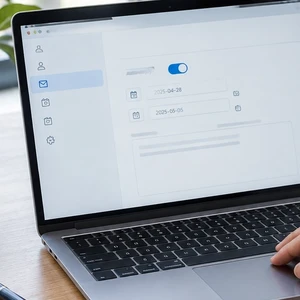
 A helpful out of office message lets customers know when you’ll return and where they can get help meanwhile. It can protect your time away while giving people a clear next step.
The trick is keeping it useful, brief, and safe. You don’t need to explain where you’re going or share your plans. A few thoughtful details can help customers feel looked after, even when you’re not checking email.
What should your out of office message say?
Include the information someone needs to decide what to do next. That usually means:
- When you’ll be away: Give the first and last dates you’ll be unavailable.
- When you expect to return: Use a clear date, not just “soon.”
- What to expect: Say whether you’ll be away from email or checking it occasionally.
- Who can help: Name an approved colleague or team contact for urgent requests.
- What happens next: Let people know when you’ll follow up.
For example, a customer writing about a time-sensitive appointment needs more than a vague “I’m away.” They need to know whether to wait, call your office, or contact someone else.
Before naming a substitute, ask their permission. Confirm they’re available, know what they can handle, and are comfortable having their contact details shared. A helpful message should not create an unexpected pile of work for a colleague.
Set expectations about replies
Be honest about how often you’ll check email. If you plan to disconnect, say so. If you might check occasionally, explain that replies could take longer than usual.
Avoid promising that you’ll reply as soon as you return. Your inbox may have other plans for your first morning back. “I’ll respond as soon as I can after I return” is considerate without promising an unrealistic turnaround.
Automatic replies also don’t necessarily go out with every message a person sends. Their frequency depends on your email service and settings. Gmail, for example, generally replies the first time someone contacts you. The same sender may receive another reply after several days or after you edit the message.
So, don’t rely on repeated automatic replies to remind someone about an urgent issue. Give them a clear alternate contact in the original response.
What not to include
A vacation reply should reassure people about your availability, not announce your plans to the world. Avoid details such as your destination, travel dates beyond your absence, where you’re staying, or when your home will be empty.
You also don’t need to list personal reasons for being away. “I’m out of the office” is enough. Keep sensitive business details, private client information, and internal schedules out of a reply that may reach people you don’t know.
Be cautious about offering a personal phone number. Share one only if you genuinely want calls and have permission to use it for work. An alternate business email or main office number is often more appropriate.
Finally, skip jokes that might confuse customers. A light tone is fine, but people should still understand when you’ll return and how to reach help. Keep the message clear enough to work for a new customer, not just a friend who knows your sense of humor.
A simple template to adapt
Use this as a starting point. Replace the bracketed details, then read it once as if you were a customer.
Subject: Out of office until [return date]
Thanks for your message. I’m out of the office from [start date] through [end date] and expect to return on [return date]. I [won’t be checking email / will check email occasionally, so replies may be delayed].
For urgent help with [type of request], please contact [name or team] at [email address or business phone]. Otherwise, I’ll respond as soon as I can after I return.
Best,
[Your name]
Keep the alternate contact description specific. “Contact my colleague” makes the customer guess. “For scheduling help, contact Morgan at [business email]” gives them a practical next step.
If you don’t have someone covering your inbox, say so plainly. You might direct customers to a business phone line, a shared support address, or an online appointment form. Don’t list a route that nobody is monitoring.
How to set up your vacation reply
The labels differ among email services, but the basic process is similar:
- Open your email settings. Look for “Vacation responder,” “Automatic replies,” or “Out of office.”
- Set a start and end time. Check the time zone and confirm the end date matches your return plan.
- Add a clear subject and message. Use your template, then verify every date and contact detail.
- Choose who receives the reply. Some services let you limit replies to your contacts or organization.
- Save the settings. If the service offers a scheduled end date, use it.
- Test the setup. Send a message from another account and confirm the reply reads correctly.
For Gmail, Google’s vacation responder instructions explain how to switch it on, enter dates, write your message, and save changes. Gmail also displays a notice in your inbox while the responder is active.
For Outlook, Microsoft’s automatic reply instructions cover different versions of Outlook. Available settings can vary by account type. If you don’t see the same options, check your provider’s guidance rather than assuming the feature is missing.
When choosing whether to reply to people outside your organization, consider your audience. A broad setting might send replies to newsletters or unwanted messages, too. If your service offers a contacts-only option, decide whether that suits your business.
Don’t forget to turn it off
A scheduled end date is helpful, but make checking the autoresponder part of your return routine. Open the setting on your first day back and confirm it has stopped. If you return earlier or your plans change, update or disable it right away.
Then review any customer requests that came in while you were away. Your automatic reply told people what to expect; a timely follow-up helps complete the promise.
It’s also worth checking your message before each new vacation. An old return date or the wrong substitute contact can confuse customers. Calendar reminders are useful. Sticky notes on your monitor are less reliable, especially if you work away from that desk.
If you use an alias or shared business address, check which inbox controls its automatic replies. The setting may belong to a particular mailbox rather than every address customers use. Our guide to email forwarding explains why separate email features can behave differently. This is a quick reminder to check the right account, not a substitute for testing your autoresponder.
Keep the reply helpful and low-risk
A good vacation message is simple: give your dates, explain your availability, and point urgent requests to someone who can help. Leave travel plans and private details out of it.
Test the reply before you leave, and check that it switches off when you return. If customers tell you they never received your email, our guide explains why business emails can land in spam. A little preparation now can make your time away easier for you and your customers.










 European Union General Data Protection Regulation Compliant