
The CW Corner – SIM Swap Scams: When Someone Steals Your Phone Number
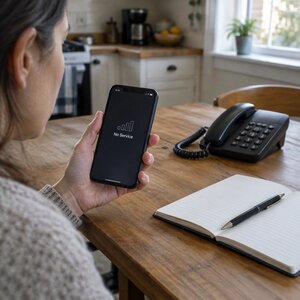 A SIM swap scam can turn your phone number into a key to your email, bank, and business accounts. If your phone suddenly loses service without explanation, don’t dismiss it as a glitch. It could be a warning that someone else now controls your number.
What is a SIM swap?
A subscriber identity module (SIM) card is the small chip that connects your phone number to a mobile phone. A swap happens when someone persuades your mobile carrier to move your number onto a SIM card they control.
Once the transfer takes effect, your phone may lose service. The scammer’s phone can start receiving calls and text messages intended for you. A transfer to another carrier, often called a port-out, can create a similar problem.
The SIM itself isn’t the important prize. Your phone number is. Many online accounts use it to send sign-in codes, password-reset codes, bank alerts, or calls from a fraud team. If a criminal controls your number, they may be able to receive those messages and answer those calls.
A stolen number does not automatically unlock every account. But it can give a scammer a useful route into accounts that rely on your phone for verification or recovery. That’s why a sudden loss of service deserves attention.
How does the scammer get your number?
Usually, the criminal does not hack your carrier’s network. They contact the carrier and try to convince a representative that they are you.
They may gather personal details from data breaches, social media, phishing messages, or other sources. Then they use those details to request a replacement SIM or move your number to another carrier. In some cases, an insider at a store may help.
The basic trick is impersonation, backed by patience. A caller may sound confident, know just enough about you, and keep trying until someone approves the change.
That’s also why you should be cautious if someone contacts you and asks for a carrier passcode or a one-time sign-in code. Hang up and contact the company using a number from your bill, card, or its official website. Don’t hand over account keys to an unexpected caller.
Warning signs to take seriously
These changes can have harmless causes, including local outages or a damaged phone. But if they appear suddenly and you haven’t changed your service, treat them as urgent.
- Your phone shows “No Service” or “SIM not provisioned” in a place with normally good coverage.
- Your phone suddenly allows emergency calls only.
- Your carrier sends a message about a SIM change or number transfer you did not request.
- Your number appears to have changed in an account, or you receive a welcome message from a new carrier.
- You are unexpectedly locked out of accounts or receive password-reset alerts you did not request.
The Federal Bureau of Investigation (FBI) has warned that criminals use these schemes to reach bank and social media accounts. See its alert on SIM swap schemes.
If your phone loses service for no clear reason, don’t wait around hoping it will sort itself out. A quick response can help limit what a thief can do.
What to do in the first hour
If you suspect a swap, borrow another phone or use a landline. Don’t rely on the affected phone to make calls or receive verification messages.
First, call your mobile carrier from that other phone. Use the number on your bill or the carrier’s official website. Explain that you suspect an unauthorized SIM change or number transfer. Ask the carrier to freeze the number, stop further changes, and restore the number to your SIM.
Ask what additional protections the carrier can put on your account. If the first person you reach cannot help, request the team that handles suspected account or number-transfer fraud. Keep notes about your calls and any case references.
Next, secure your email account. Email is often the master key because password-reset links for other accounts may arrive there. From a trusted device, change the email password if you can. Review recovery details, sign out of unfamiliar sessions, and check for forwarding settings you did not add.
Then contact your bank and card issuers. Tell them you may have lost control of your phone number. Ask them to review recent activity and flag anything unfamiliar. Follow their instructions if they recommend temporarily restricting access.
Finally, change passwords on financial and business accounts. Prioritize accounts that use your number for recovery, or that could affect your money, website, domain, or customer communications. A password manager can help you create unique passwords instead of reusing one. Our password managers guide explains how to get started.
For more recovery guidance, the Federal Trade Commission’s identity theft resource offers steps for people who discover misuse of their personal information.
Practical ways to reduce your risk
Call your carrier before anything goes wrong. Ask whether it offers a port-out PIN (personal identification number), number-transfer freeze, or account passcode. Ask how to enable available protections and whether a store visit can override them. Carrier options and procedures vary, so check directly with your provider.
Where important accounts allow it, move away from texted sign-in codes. Consider an authenticator app or security key instead. These options don’t rely on a text arriving through your phone number. Our guide to authenticator apps and text codes covers the sign-in choices. You can also read Passkeys Explained for another option some services support.
Keep a separate recovery email that does not depend on the same phone number. Make sure you can access it, and protect it with a strong, unique password.
Be careful about details you share online. A birthday, pet’s name, or mother’s maiden name may also be an answer to a security question. Think twice before posting personal facts that could help someone impersonate you.
A business number can put customers at risk, too
If the number on your website or business listing gets swapped, customers may reach the person controlling it instead of you. That can mean missed inquiries and confusion. The same number may also help someone reset business accounts connected to it.
Review which phone number is attached to your email, banking, domain registration, website administration, and other important services. Ask whether a single person’s personal mobile number should control all those accounts.
For a small business, a shared or separately managed business line may make more sense for some account recovery arrangements. Whatever number you choose, know who controls it and what protections your carrier can apply.
Make the carrier call this week’s small job
A SIM swap scam is rare, but it is not imaginary. If your number suddenly stops working, act promptly: contact your carrier, secure email, alert financial institutions, and then protect your other important accounts.
The preparation doesn’t need to become a major project. One call to your carrier, followed by an afternoon moving important accounts to better sign-in methods, can make a meaningful difference. Make that call this week, while your phone is still working.










 European Union General Data Protection Regulation Compliant