by Charles Oropallo | Nov 15, 2020 | Do-It-Yourself, Technical Help, The CW Corner, WordPress
Every piece of popular software gets updated over time. PHP is no different.
PHP 7.4 is the latest version of PHP 7 at the time of this writing. It was originally rolled out November 28, 2019 and will receive security support until November 28, 2022. It also appears that PHP 7.4 may be the last of the PHP 7 releases, as PHP 8.0 was rolled out on November 26, 2020.
This is all great news, since each newer PHP version so far has continued to provide:
- considerable (but not total) backward compatibility
- faster execution speeds
- greater security.
We’ve seen many PHP upgrades since running WordPress over many, many years. Our preliminary testing has always shown that many WordPress plugins and themes don’t work seamlessly with new versions of PHP as they are rolled out. As for PHP 7.4, the WordPress core and its latest default themes do. Unfortunately, many sites will simply break if caution isn’t taken to ensure all of their components – the core, the plugins and the themes – are PHP 7.4 compliant. For this reason, we usually don’t switch PHP to the later version until we are confident most things will work. When you think about the many thousands of themes and plugins out there for WordPress, it is no surprise that sometimes this takes longer than a year.
WordPress PHP notifications
PHP versions older than PHP 7.2 now trigger the red circle with an exclamation point PHP notification that administrative users see in the WordPress dashboard.
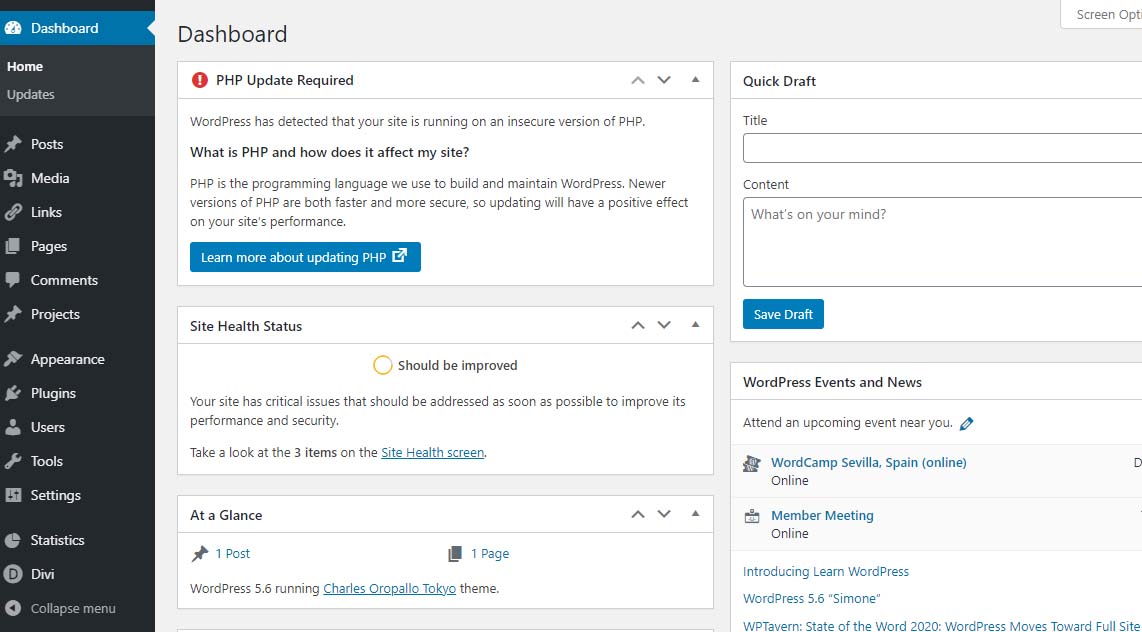 PHP update required notification
Site Health Status – Should be improvedBear in mind that WordPress only issues a warning about 7.1 and lower. The red notice in the dashboard is not shown for higher versions. Navigating to Tools > Site Health yields more details about site health.
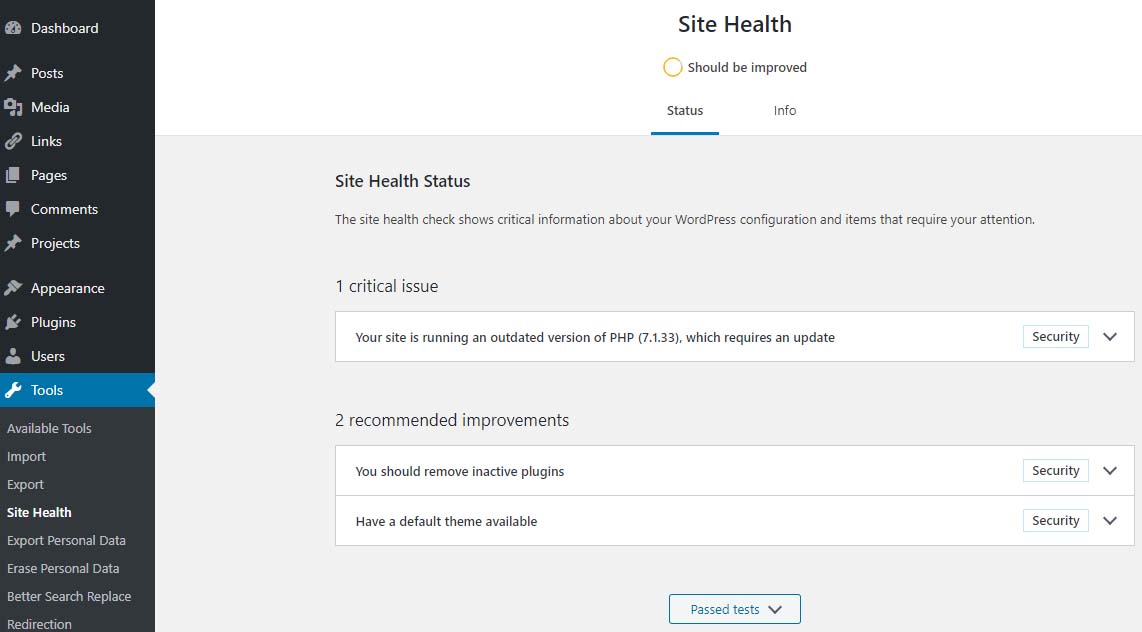 Site Health – Should be Improved
Site Health Status – 1 critical issue – running outdated version of PHP 7.1 requires an updatePHP 7.2 just went to end of life November 30, 2020 – hence the red PHP update required notice that shows in the dashboard for anything older than 7.2 doesn’t show if you are running PHP 7.2 and above.
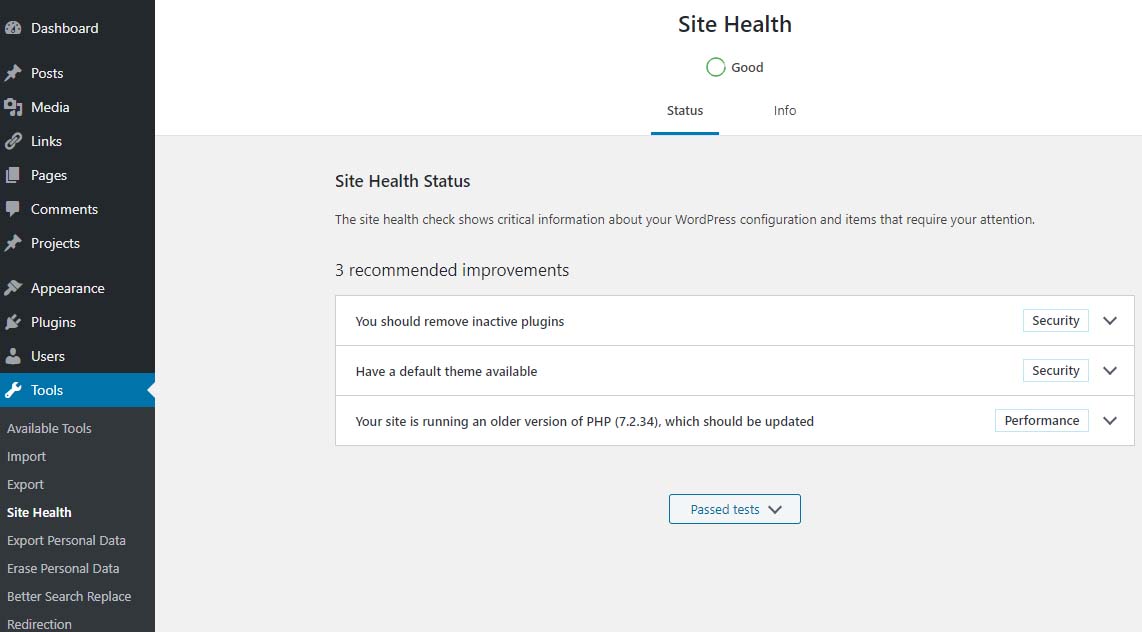 Site Health Status – Good
PHP 7.2 which should be updatedIf you are running PHP 7.3 (or newer) you will not get the red notice described above. However, in the site health you will see an indication stating “Your site is running an older version of PHP (7.3.x) which worries many when they see it.
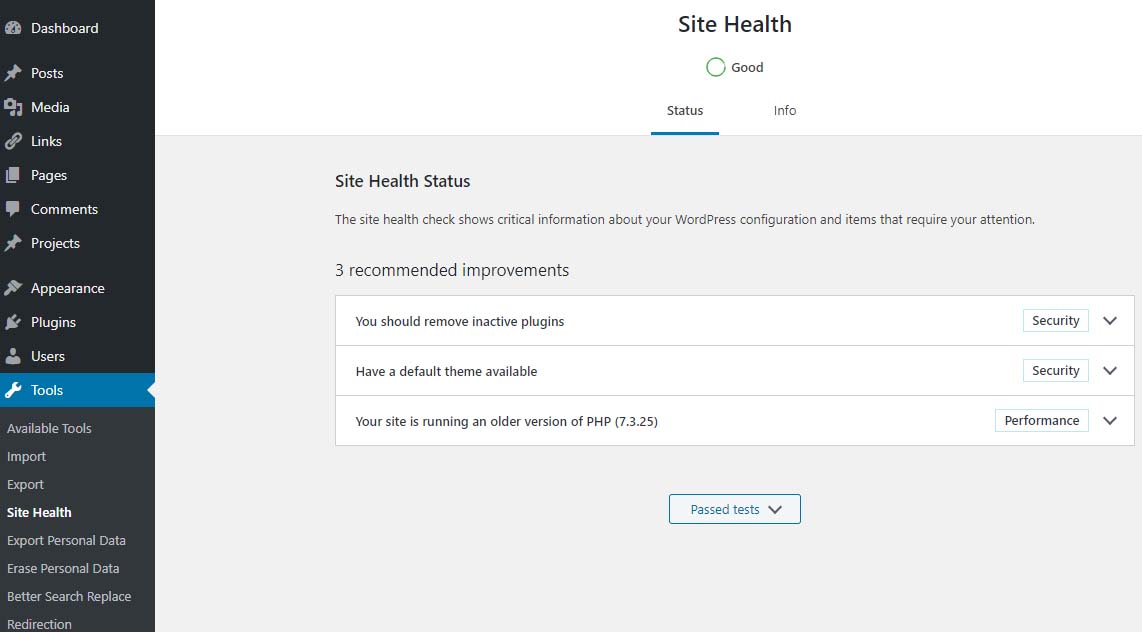 Site Health – Good
Site Health Status – 1 recommended improvement – running an older version of PHP – PHP 7.3.25The fact is that PHP 7.3 will be receiving security updates until December 6, 2021. Given that, there is plenty of time to get ready for PHP 7.4.
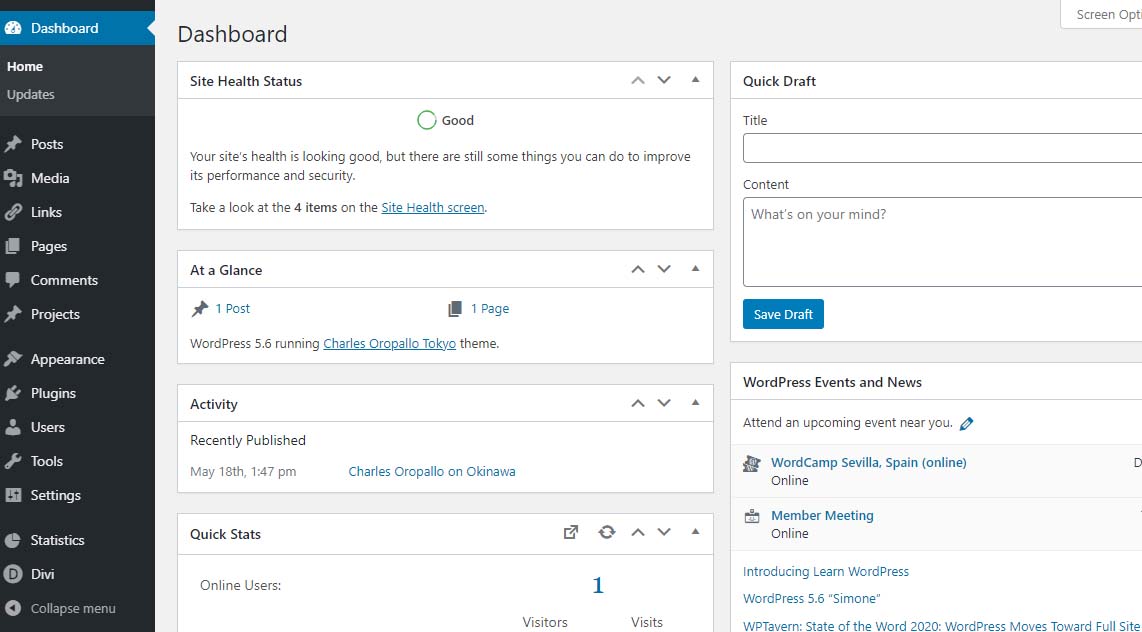 Site Health Status – Good
PHP 7.2 and aboveThe plan at CharlesWorks is to make PHP 7.4 available in the upcoming months. When that happens, you will notice that each of the PHP 7.x versions you see in the DirectAdmin interface will be bumped up by one version. So you will always still be able to go back to 7.3 if needed.
PHP 8.0 was released on November 26, 2020 with an expected security support date of October 26, 2023. There appears to be more incompatibility between it and PHP 7. CharlesWorks would not expect to roll this version out until nearer the end of 2021. Let’s give the world a chance to find all of the bugs for us.


by Charles Oropallo | Nov 12, 2020 | Do-It-Yourself, Technical Help, The CW Corner, Website Development, Website Updates, WordPress
Sometimes in a WordPress website an issue develops where when loading images into media library, only a blank thumbnail shows. It appears a space is created in the database for the picture but there is no content in it.
After testing compatibility of plugins, themes, php, etc., the problem persisted.
To resolve this, one can navigate here logged into WordPress as an administrator:
Go to Dashboard > Settings > Media
Make sure the correct default file path is showing there. When troubleshooting this issue on a site that was unable to upload media files, the file path was shown as:
/home/username/domains/thedomainname.com/private_html/wp-content/uploads
Note that the “username” and “thedomainname.com” in the above and below path examples will be the Linux username and the actual site domain name respectively that you are troubleshooting.
The fix
When this path was removed, the image file upload worked normally again and the problem appeared to be solved.
Possible Reasoning or Causes
In the DirectAdmin path structure, there are two places the website’s servable coding (like WordPress or HTML sites or Joomla, etc.) might be stored:
/home/username/domains/thedomainname.com/public_html
or
/home/username/domains/thedomainname.com/private_html
The “public_html” folder is where DirectAdmin normally places the website’s code (again, referring to all the files and programs that make up the actual WordPress or HTML or Joomla site’s coding, etc.).
The “private_html” folder is where DirectAdmin normally tries to place the website’s code when its content is encrypted. That’s why there is an option in DirectAdmin’s site control panel that allows one to “Use a symbolic link from private_html to public_html”. This option allows for using the same data in http and https.
The suspicion here is that a setting got changed or an update occurred causing the WordPress system to use the private_html setting when the site resides in public_html. Removing the file path from the settings forced WordPress to use where the system actually defaulted to – which cleared the problem.
We may never know how the setting actually got bunged up, but it is an easy fix once it is.
by Charles Oropallo | Aug 5, 2020 | Do-It-Yourself, Internet, Monadnock Shopper News, Shopper News, The CW Corner, Website Development, Website Updates, WordPress
Something many folks overlook is occasionally checking their website’s functionality. I recommend doing this every couple weeks, but at minimum once a month.
Most websites and the servers they are on are subjected to ongoing software updates. Unless you are paying an additional fee for maintenance checks, it’s normal for things to occasionally break due to updates.
Most website owners are not paying additional fees for such maintenance. This means you really need to take the time to check:
– that the site appears to work properly
– that your hours of operation are correct
– that any website forms are working
– that email addresses are correct
The site operation and forms are most susceptible to software updates. If you have a good web developer, the fixes will happen quickly and it will not cost you too much.
Website maintenance should be thought of like automotive maintenance. We get oil changes. We get inspections. We even make modifications and do repairs to keep our vehicle operating the way we want. And our older vehicles can cost more to upkeep – just like older websites. As websites age, more work needs to be done to keep them secure and working as originally intended.
So check your site every now and then to keep things working and have the correct information out there!
by Charles Oropallo | Jul 8, 2020 | Do-It-Yourself, Internet, Monadnock Shopper News, SEO, Shopper News, The CW Corner, Website Development, Website Updates, WordPress
Engagement, in military terms, is described as a fight or battle between armed forces. In web terms, engagement could be thought of as the process of getting an idea across to accomplish a goal.
There are a couple major goals with websites, as I see it. One is to simply share information. Another is to sell products. Make no mistake about it – whether you are selling widgets or ice-cream or trying to increase your congregation – the goal is the essentially the same – getting people engaged.
The first, sharing information, definitely is a precursor to the second. I’d like to focus on the second here.
Websites that are more engaging with their visitors will encourage more sales. With that in mind, it follows that engagement is a result of information and aesthetics.
Aesthetics costs for a website can vary greatly. Graphic design can be time consuming. This equates to higher labor costs. Information in written form, however, is usually the least expensive part of website development. Text can usually be pasted into web pages. This is not usually as labor intensive. Having more information in text format on a website usually equates to more exposure to the public. This is because website visitors can arrive using search engines. And the search engines find your site based upon pertinent content – mostly text.
In a nutshell, if you want an engaging website – which will increase your probability of success on the web – make sure there is plenty of information in text form on it. Search engines will help get folks there and your aesthetics can do the rest.
by Charles Oropallo | Jun 24, 2020 | Do-It-Yourself, Internet, Monadnock Shopper News, SEO, Shopper News, The CW Corner, Website Development, WordPress
A popular website sales pitch over the past ten or so years has been about blogging. Many web developers believe that blogging is an absolute must to get found on the web. However, believing doesn’t necessarily make it a fact.
Whether blogging will be a benefit your particular web presence is complicated. There are a number of factors to consider.
A major factor is that blogging requires time to be effective. The time has to be spent by someone entering blog material pertinent to your business or topic into your website. Otherwise you have to pay someone to keep up with it.
Keeping blogs interesting to keep site visitors engaged is another ongoing endeavor. Site visitors won’t return if the material doesn’t hold their interests.
The real power of blogging lies with search engine placement. Search engines rank websites on how pertinent they are to a particular topic or search terms. Search terms are generally words or phrases people type into search engines when they are looking for something. The more pertinent – the higher the ranking. Having more pertinent material on a site increases ranking.
So when considering whether a blog is right for your web presence or not, bear in mind that a blog must be an ongoing, continuing effort. It may be just as effective to simply have a lot of static material on your site explaining details about all your offerings.
by Charles Oropallo | Feb 5, 2020 | Do-It-Yourself, Email, Internet, Monadnock Shopper News, Passwords, Security, Shopper News, The CW Corner, Website Development
I’ve written several articles about specific scams that are occurring on a regular basis on the Internet. They seem to subside for a short time – a very short time – and then a wave of them happens again.
One of the worst – as far as I am concerned – are the ones where the email recipient is being told they must verify their email. These have some common traits with most Internet scams:
1) A sense of urgency – they want you to take care of this immediately
2) A time limit – they give you within 24 hours to act
3) A threat – they tell you your email will be locked.
The first thing you have to understand is that nearly everyone gets these on occasion. I have received them myself in which they are made to look like they are from CharlesWorks. So when our clients get these they tend to become very worried very quickly.
I can’t stress enough that most legitimate companies will not send out messages like these. To fall prey to these can be a real nightmare. With access to one’s email these days the bad guys can wreak havoc in one’s life. The worst cases are called identity theft!
Don’t be the unfortunate one who falls prey to these scammers. If you have been “notified” of something serious – call your provider up and speak with a representative. Just like at my company – it’s a lot easier for us to allay your fears than to have to try to clean up the mess that can happen with compromised accounts.








 European Union General Data Protection Regulation Compliant